AI Video Editor Agent — Early Access
Raw footage in.
Finished film out
within minutes.
Drop in your camera files. Claude watches, listens and plans the cut in your brand’s style: captions, graphics, music, sound and a cover. You review it on a real timeline, approve it, and it delivers itself.
Follows Brand Book
Auto AI Editor
Made with it
Real reels. Real brands.
Talking heads, multicam events, drone recaps, product films and AI-shot b-roll, all cut and finished in the same editor.
One editing bay
Everything between the shoot and the post.
Every step the editor takes is saved as a file you can open, check and roll back. Nothing is a black box.
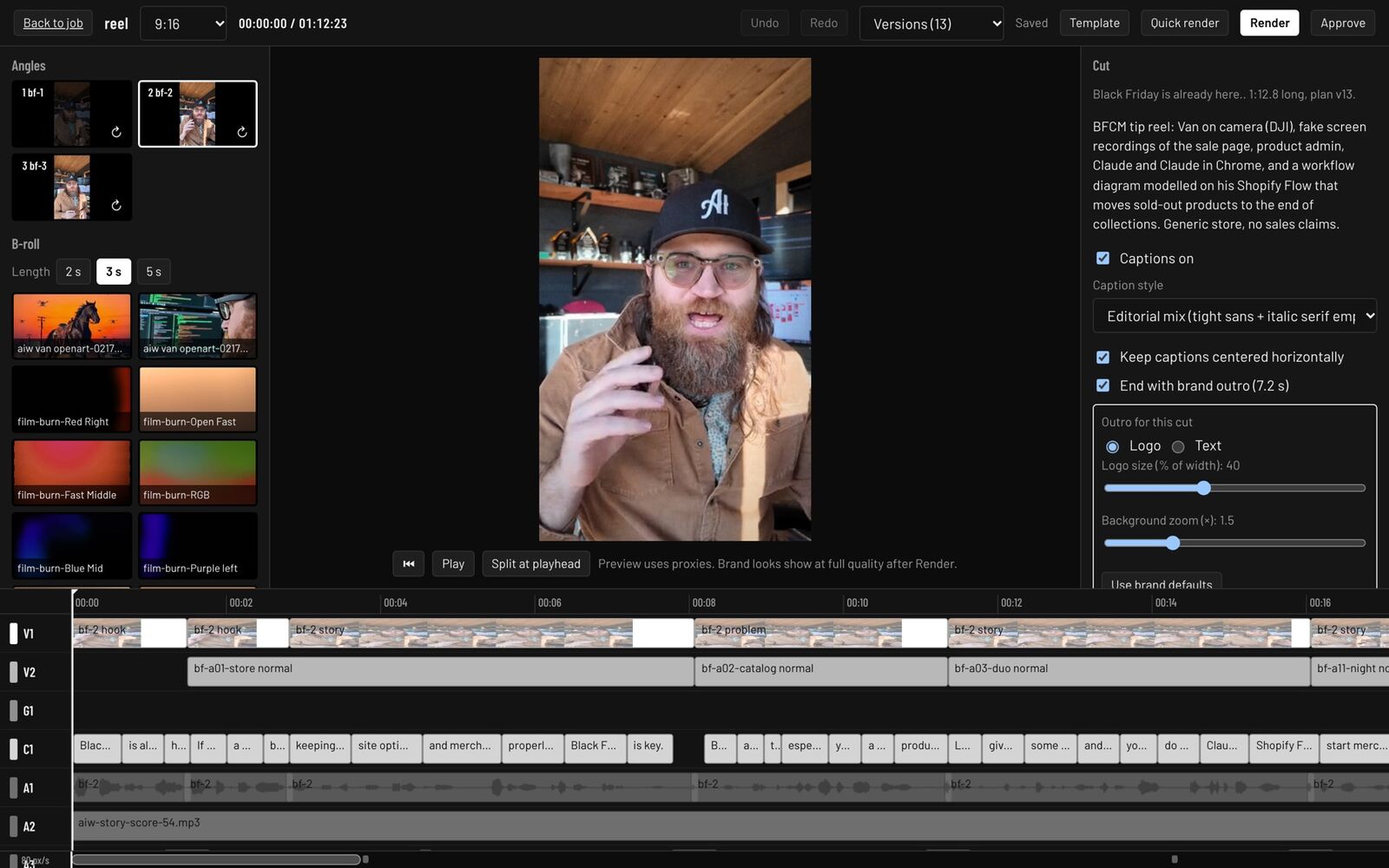
A real timeline, not a prompt box
Switch angles, trim, drop in b-roll, restyle captions and pick the outro. Undo, versions and one-click render.
Claude plans the edit
It reads the transcript and the shots, finds the hook and builds the cut to your brief.
Pipelinejob · reel
Ingest Done
Sync cameras Done
Transcribe Done
Claude plans the cut Done
Render Rendering…
Your review Waiting
01
Multicam sync
Phone, mirrorless, drone and lav audio line up on their own, so you can cut between angles.
02
Brand kits
Fonts, colours, logos, LUTs, music and SFX. Every cut comes out on brand, and kits export as a zip.
03
Templates
Love a finished reel? Save it as a template and the next one comes out in the same style.

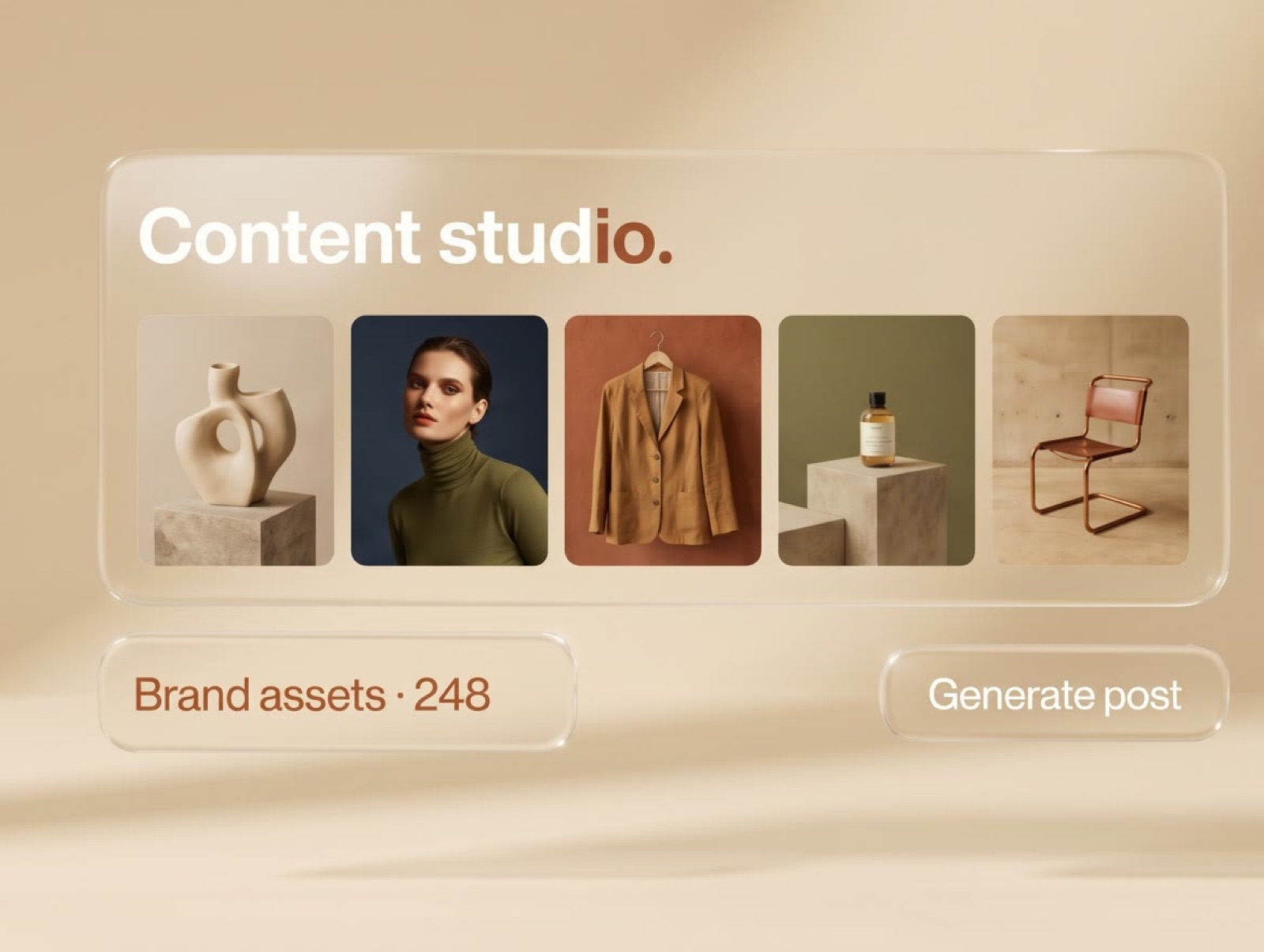
Covers and social posts
Every render ships with a cover image. Still posts and carousels come from the same footage.
AI shots, with a gate
Generate b-roll you didn’t film. You approve each still before any video credits are spent, and AI media is labelled.
How it works
Four steps. You stay in charge.
From a folder of raw clips to a delivered, on-brand cut — with your approval at every step that matters.
Request access 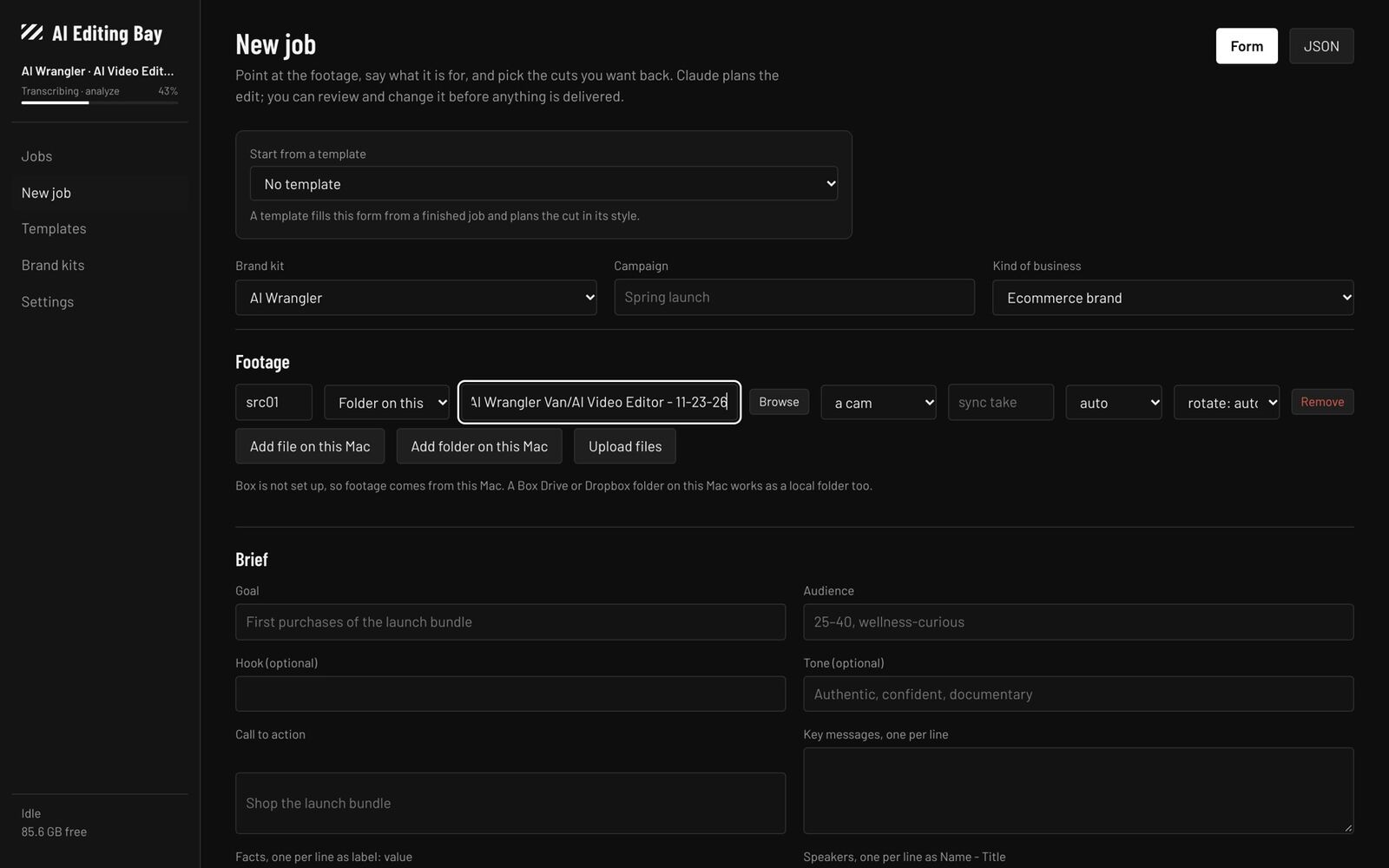
Point it at the footage
A folder on your Mac, a Box or Dropbox folder, your phone’s camera roll sync, or a browser upload. Add a goal, a tone and a call to action.
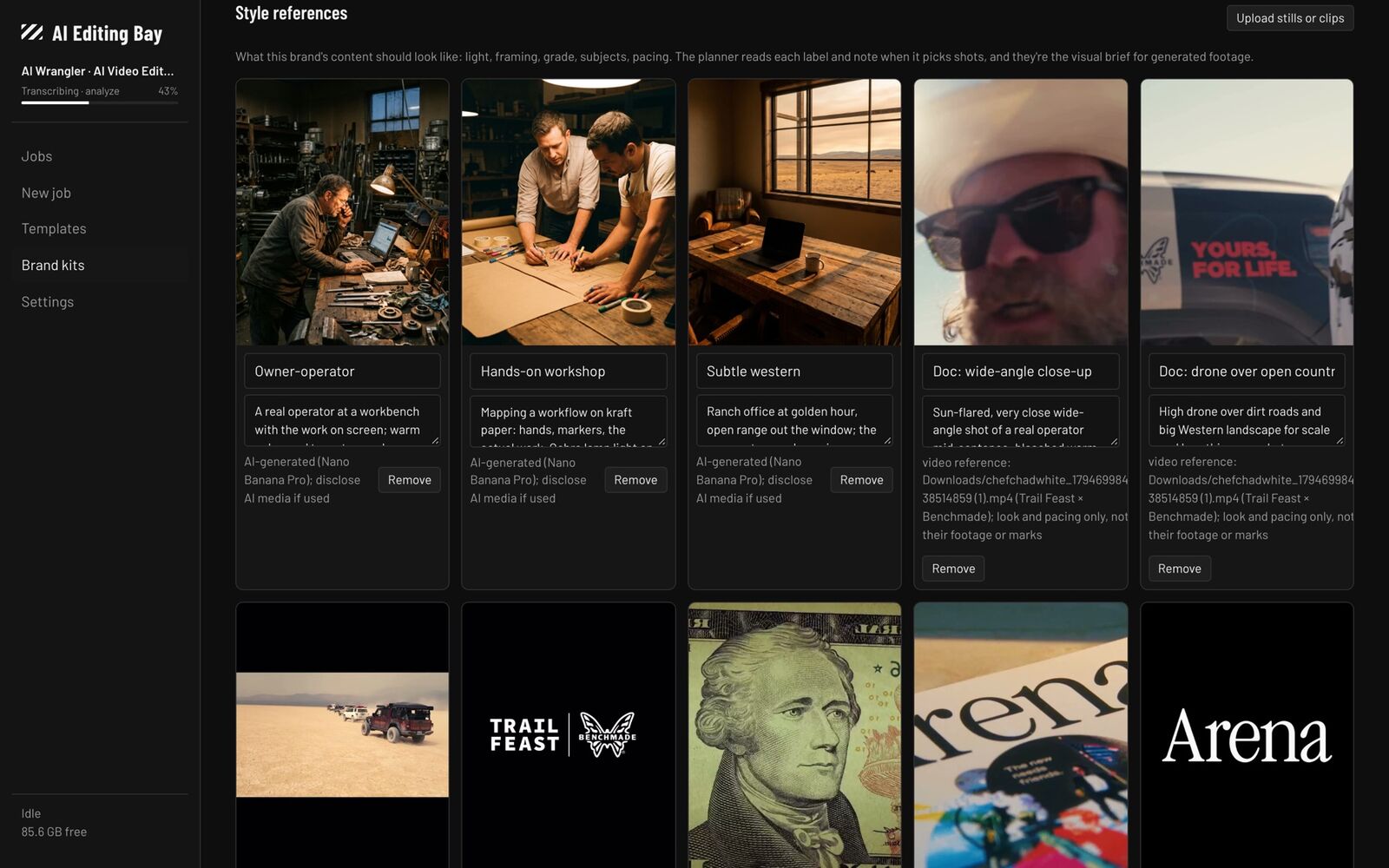
Pick a style
Start from one of your templates or from style references, and the plan follows that structure, look, music and graphics.
Review on the timeline
Watch the cut, leave timecoded comments or fix it yourself. Every change is a new version you can roll back.
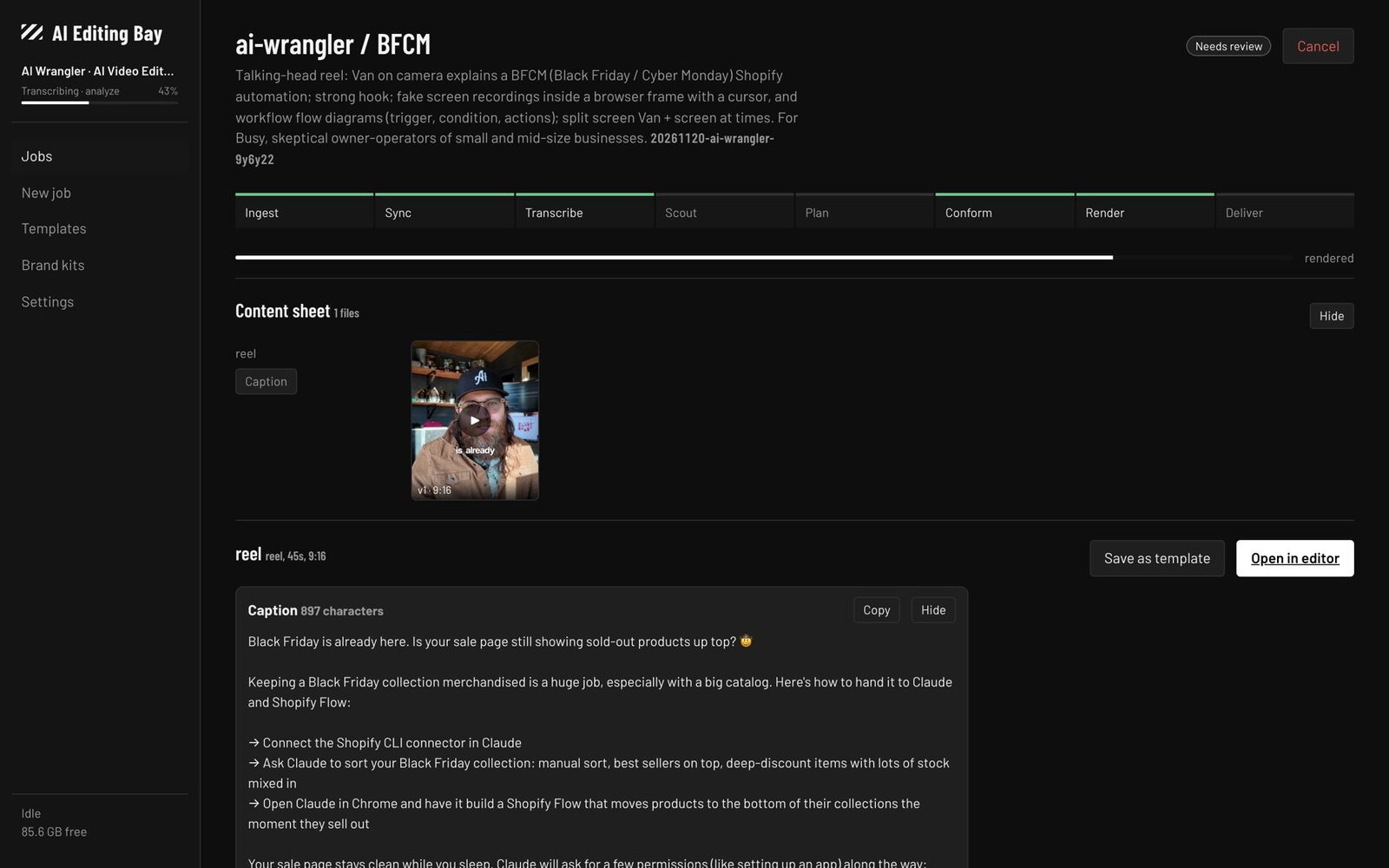
Approve and deliver
Finished files, covers and captions go back to the folder, Box, Dropbox or True Kin OS, with the social caption ready to copy.
Run it your way
On your desk or in the cloud.
The same editor runs on a Mac in the studio or on a VPS. Your footage stays where it already lives: local drives for heavy files, cloud folders for the team, your phone for everything you shoot on the go.
- Mac Local MacHardware encoding with Apple VideoToolbox, so renders stay fast on a studio machine.
- VPS Or a VPSThe same app on a Linux server with software or NVIDIA encoding, open to the whole team in the browser.
- 4K Large files stay localFootage on an external drive is linked, never copied, so 4K and 6K shoots don’t fill the disk.
- Box Cloud foldersPull from Box, or any Dropbox or Box Drive folder synced to the machine — and deliver back to it.
- Ph Phone syncClips land through a synced folder (iCloud, Dropbox or Box), or upload from the browser. Vertical, sideways and drone clips are rotated and synced.
- OS Plugs into True Kin OSJobs can start from the OS and finished cuts return to it after review.
- $ Know what every video costClaude usage and AI credits are logged per job, so there are no surprise bills.
From the editing bay
“This video took me five minutes.”
Van Tucker, AI Wrangler — in a reel cut with the editor
Every format
One shoot, every feed.
9:16 reels, 4:5 feed posts and 16:9 films from the same plan, with text kept inside the Meta Reels safe zone.
9:16Reels · Shorts · TikTok
4:5Feed · carousels
16:9YouTube · web
CoverEvery render
FAQ
Questions? Answered.
What does the AI Video Editor do?
You drop in camera files. Claude watches, listens and plans the cut in your brand’s style — captions, graphics, music, sound and a cover. You review it on a real timeline, approve it, and it delivers itself.
Do I stay in control of the edit?
Yes. Every step the editor takes is saved as a file you can open, check and roll back. You can leave timecoded comments or fix the cut yourself, and nothing is delivered until you approve it.
Where does it run?
On a Mac in the studio, with hardware encoding, or on a VPS that the whole team opens in the browser. The web app, job queue and review screens are the same in both.
Where does my footage live?
Where it already lives. Local drives for heavy files (linked, never copied), Box or Dropbox folders for the team, and your phone for everything you shoot on the go.
How are AI-generated shots handled?
You approve each still before any video credits are spent, and AI media is labelled.
Which formats does it export?
9:16 reels, 4:5 feed posts and 16:9 films from the same plan, with text kept inside the Meta Reels safe zone — and every render ships with a cover image.
Early access
Your next video is already shot.
Built with CMG’s embedded AI-native team and tailored to how you run. Tell us about your content and we’ll set it up with your brand kit.
Request access Some imagery on this page is AI-generated. Reels shown were cut with the editor.